FieldCut
From mess to less.
Every photo and clip you have, in folders you name. Today’s card, an old drive, or a Google Drive link.
Watch FieldCut sort a real card
Everything you have, on one screen.
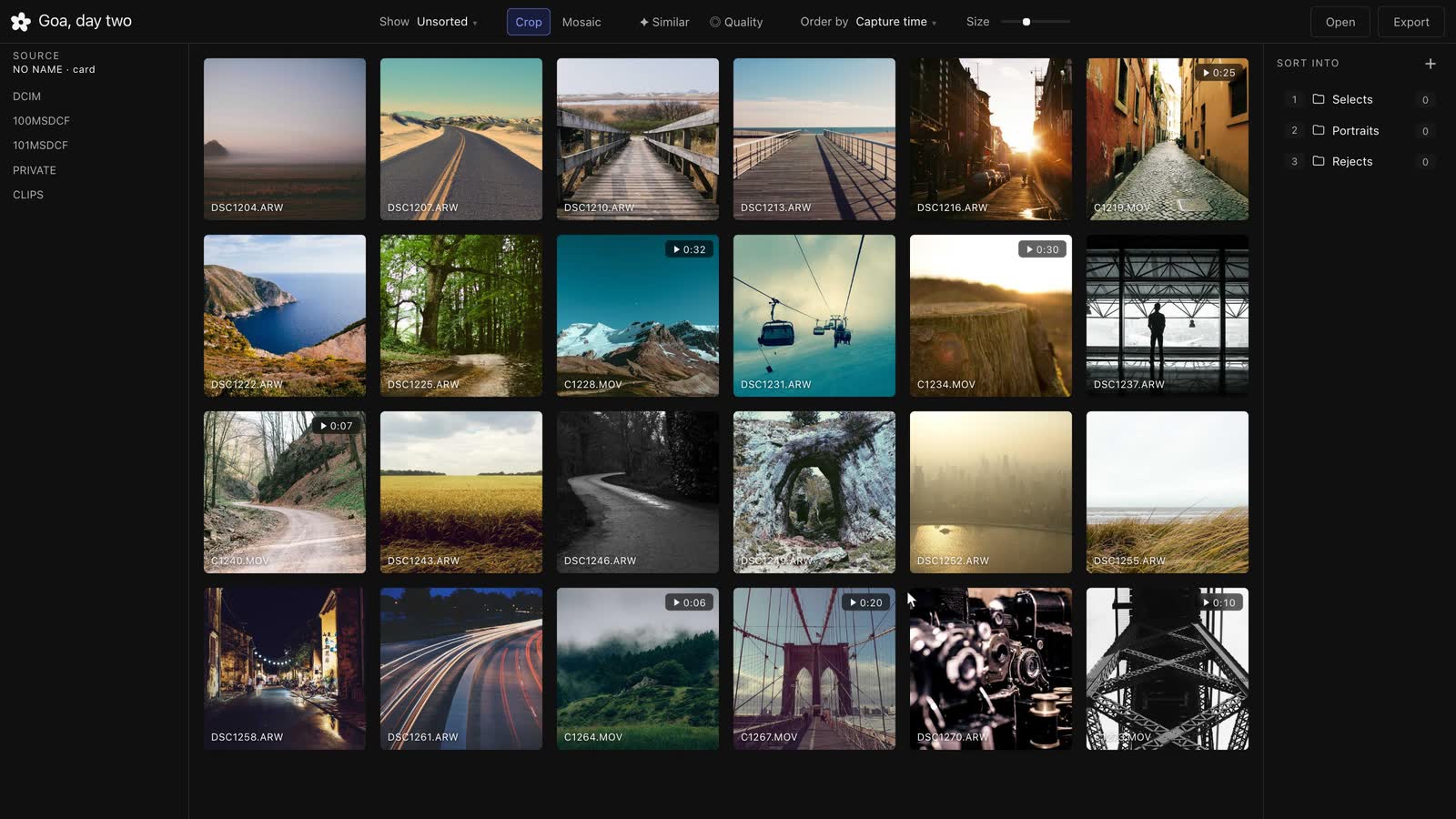
FieldCut opens what you already have and turns it into folders you can use.
01
Open anything
A camera card, an old drive, or a Google Drive folder from a link. FieldCut shows everything inside at once.
02
Stills and clips, one grid
Photos and video sit together, at their own shape. No second app for the footage.
03
Finds the near-identical ones
Bursts and repeated frames group together, so you never sort the same shot three times.
How it works
Open today’s card. Or one from years ago.
A camera card, an external drive, a network volume, or a public Google Drive folder from a link. Everything inside shows at once, mixed.
Keep or drop. One key each.
P keeps. X drops. Nothing on your disk moves until you say so.
Folders you name.
Type a name, press its number. The file is already there.
Cut the clip you need.
Mark the part that matters, and export just that clip, out of the long file next to it.
Get it
Free for a week.
Then ₹2,499, once.
No payment details for the week. One Mac, yours to keep. Your key appears here the moment you pay.
- Free for a week, no card
- One Mac, yours to keep
- Checked online once, then works without signal
- Never a subscription
The licence is issued to this address.
Payment complete
Install for Mac
Paste this into Terminal. It downloads FieldCut, shows the progress, puts it in Applications and opens it.
curl -fsSL https://fieldcut.hellodigitworks.com/install.sh | sh
Enter your key
Questions, answered plainly.
What can FieldCut open?
A camera card, any folder, an external drive, a network volume, or a public Google Drive folder from a link.
Does it work without the internet?
Yes. Your key is checked online once, and FieldCut runs with no signal after that.
What does it cost?
Free for a week, no card. Then ₹2,499 once for one Mac, until 31 October 2026 — ₹4,999 after. A key you’ve already bought keeps its price.
Is it a subscription?
No. Never a subscription and never per seat. One key, one Mac, yours to keep.
Can I use it in a browser instead?
Yes, in Chrome or Edge. They’re the two that let a site write sorted files back to a real folder. Safari and Firefox can view and flag, not export.